
The 2026 Holiday Sales Playbook

Holiday sales feel different this year.
Here's how to stand out.
Shoppers are still spending. In 2025, U.S. shoppers spent a record $11.8 billion online on Black Friday and $14.25 billion on Cyber Monday, according to Adobe.
But how people shop has changed. Adobe found that traffic to retail sites from AI tools jumped 670% on Cyber Monday 2025 compared with the year before, as more shoppers asked AI assistants to find gifts and deals. Meanwhile, feeds are packed with sale graphics that took seconds to make.
That's the challenge for small businesses in 2026. It has never been easier to make a sale post, and never harder to get one noticed.
The good news? What cuts through is something AI can't fake for you: a clear plan, a real offer, and a message that sounds like a person your buyers trust. This playbook walks you through all three.
Mark your calendar: key 2026 dates
Black Friday falls on November 27 this year, so your planning window is open now.
|
Date: |
What it is: |
|---|---|
|
Thursday, Nov 26 |
Thanksgiving |
|
Friday, Nov 27 |
Black Friday |
|
Saturday, Nov 28 |
Small Business Saturday |
|
Monday, Nov 30 |
Cyber Monday |
|
Tuesday, Dec 1 |
Giving Tuesday |
|
Friday, Dec 25 |
Christmas |
If you ship physical products, check your carriers' holiday shipping deadlines too. "Last day to order for Christmas delivery" is one of the best reasons to send a sale email in December.
Step 1: Decide what you're offering
Start with the offer, not the graphics. A beautiful design can't save a confusing offer.
Here are ideas for different kinds of businesses:
- Product shops: bundle your best sellers, run a BOGO, add a gift with purchase, release a limited holiday edition, or offer free shipping above a set amount.
- Coaches and service providers: add a bonus session to a package, offer a holiday rate for booking before December 31, open early access to a January program, or sell gift sessions people can buy for someone else.
- Course and membership creators: discount the annual plan, add a bonus module or live Q&A for this week's buyers only, or offer a payment plan.
- Social media managers: sell clients a done-for-you holiday campaign, or a January content-planning package booked in December.
A few rules that make any offer stronger:
- Make it worth noticing. During Black Friday week, discounts of 30% or more tend to get attention. If you'd rather not discount, add a bonus that's genuinely valuable.
- Make it easy. When you can, apply the discount automatically instead of asking buyers to enter a code.
- Say it in one sentence. "Get [what] for [price] until [date]." If you can't, simplify the offer. Clear, specific offer wording is also easier for AI shopping assistants to understand and pass along.
Step 2: Plan a season, not a single day
Most holiday sales don't fail because the discount was too small. They fail because they're one-and-done: a single "40% off!" post on Black Friday, then silence. The sales that work run in three phases.
- Build anticipation (about Nov 9–25). Reconnect with your email list through helpful emails, post a save-the-date, and invite people to join a VIP or early-access list. By launch day, people should be waiting for your sale.
- Make the offer (Nov 26–30). Launch with a clear offer and a clear deadline. Remind people every day of the sale, and turn up the urgency in the final hours. People need to see an offer more than once; that's helpful, not annoying.
- Keep the momentum (December). Run a giveaway or a "12 days" campaign to stay top of mind, then close out with a last-chance or last-shipping-day push.
Before you design a single graphic, write your plan down: the sale's name and dates, your offer, who it's for (and who it isn't for), the objections you'll need to answer, and your goal. The free Profitable Sales Season Planner walks you through each one in about 20 minutes. [Download the free planner → here]
Step 3: Use AI as your assistant, not your voice
AI is great at first drafts and brainstorming. It doesn't know your customers, your story, or why your offer matters. That part is your job, and it's what makes people stop scrolling.
Let AI help with: sale name ideas, first-draft captions, lists of buyer objections, subject line options, and turning one email into several social posts.
Keep for yourself: the offer, the final wording, your stories, and your real customer examples.
Copy, paste, and fill in the brackets with these five prompts:
- "I sell [what you sell] to [who you serve]. Suggest 10 names for a holiday sale running [dates]. Keep them short, warm, and fitting for a [tone] brand."
- "My ideal buyer is [description]. List the top 5 reasons they might hesitate to buy [offer] during the holidays, with a one-sentence answer to each."
- "Write 5 Instagram captions announcing [offer], available [dates]. Keep each under 80 words, conversational, with one clear call to action. Avoid hype words like 'game-changer' and 'unlock.'"
- "Here's my sale email: [paste email]. Turn it into 3 short social posts and 2 text slides for Instagram stories."
- "Give me 10 subject lines for the last day of my sale. Mix curiosity, urgency, and a personal tone."
Then make it yours. Read the draft out loud, cut anything you'd never say, and add one real detail: a customer's win, a behind-the-scenes moment, or why you created this offer. That one detail does more than any perfect caption.
Step 4: Send emails that get opened (and clicked)
Your email list is the one place where an algorithm doesn't decide who sees your sale. Use it.
How often to send:
- About a week before: a save-the-date email.
- During the sale: at least one email each day.
- On the last day: 2–4 emails (morning, afternoon, and final hours). Most sales happen at the deadline.
What makes each email work: keep it short, give it one job, and use one button that goes straight to your sales page.
Subject lines that stand out: on Black Friday, your reader's inbox is full of "BLACK FRIDAY SALE!" Be specific, personal, or curious instead. Use their first name now and then, and test an emoji rather than leaning on them.
- "{First name}, your early access is open"
- "The one thing I'd grab this week"
- "Doors close at midnight"
One kind touch: if your email platform allows it, add a "skip the sale emails" link. People who aren't interested can opt out of the sale series without unsubscribing from you completely.
Step 5: Show up on social with visuals people trust
Post on the platforms you already use, and don't add a new one in November. Repurpose your sale emails into posts and stories so you're not creating everything from scratch.
A simple posting schedule:
- A heads-up about a week before the sale
- Launch day
- Black Friday
- Small Business Saturday
- Cyber Monday
- The final hours
Why a consistent look matters more than ever: in a feed full of one-off AI graphics, a cohesive look tells people you're an established business they can trust. Use the same fonts, colors, and layout across your posts, stories, emails, and banners so people recognize your sale at a glance. Mix in real photos of your products, your workspace, or you.
Design for phones first. Phones accounted for 57.5% of Cyber Monday 2025 online sales, according to Adobe. Check every graphic on your phone before posting: big text, one message, and a clear next step.
Your next step
Do one thing today: name your sale and pick your dates. Once it's on paper, it's real.
[Download the free Profitable Sales Season Planner → Free Guide]
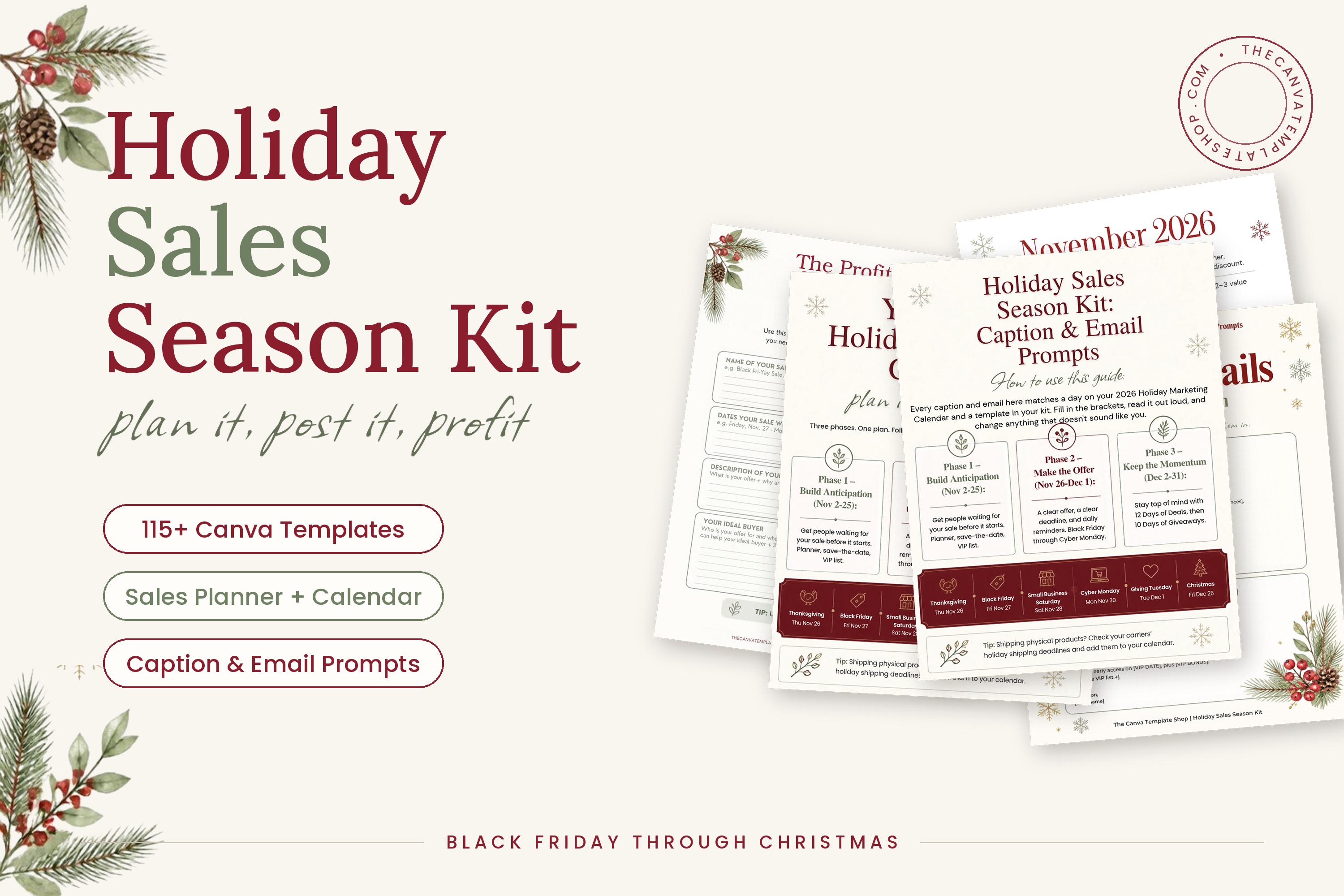
Want the whole season ready to go? The Holiday Sales Season Kit gives you everything you need to plan, schedule, write, and design your holiday sales, from Black Friday through Christmas:
- Black Friday Sales Pack: 45 Canva templates (20 square posts, 20 stories, and 5 Facebook banners)
- December Holiday Campaigns Pack: 70 Canva templates across three ready-to-run campaigns: 10 Days of Giveaways, 12 Days of Christmas Sale, and 12 Days of Deals
- The full Profitable Sales Season Planner, plus a 2026 holiday campaign calendar
- Caption and email prompts for every campaign day
Early-bird price: $27 through November 8 (then $37). Get the kit → Here
You’ve totally got this, love! Share your Black Friday plans with us on Instagram @thecanvatemplateshop — we’d love to hear from you and cheer you on!


